Any source
Drag in WAV, AIFF, FLAC or Ogg, play a loop, process your live input, or let the synth make the sound. CAPTURE grabs the last 10 seconds of input.
New releaseWindows · Standalone + VST3Beast Plugins
Shape it. Color it. Drag it out.
Drop in a sample, shape its impact, give it character, and drag a finished sound back to your track. A creative effects rack and hybrid kick designer, equally at home on a single kick or a whole drum or melodic loop.
Instant download · License key by email · One purchase, two computers
Overview
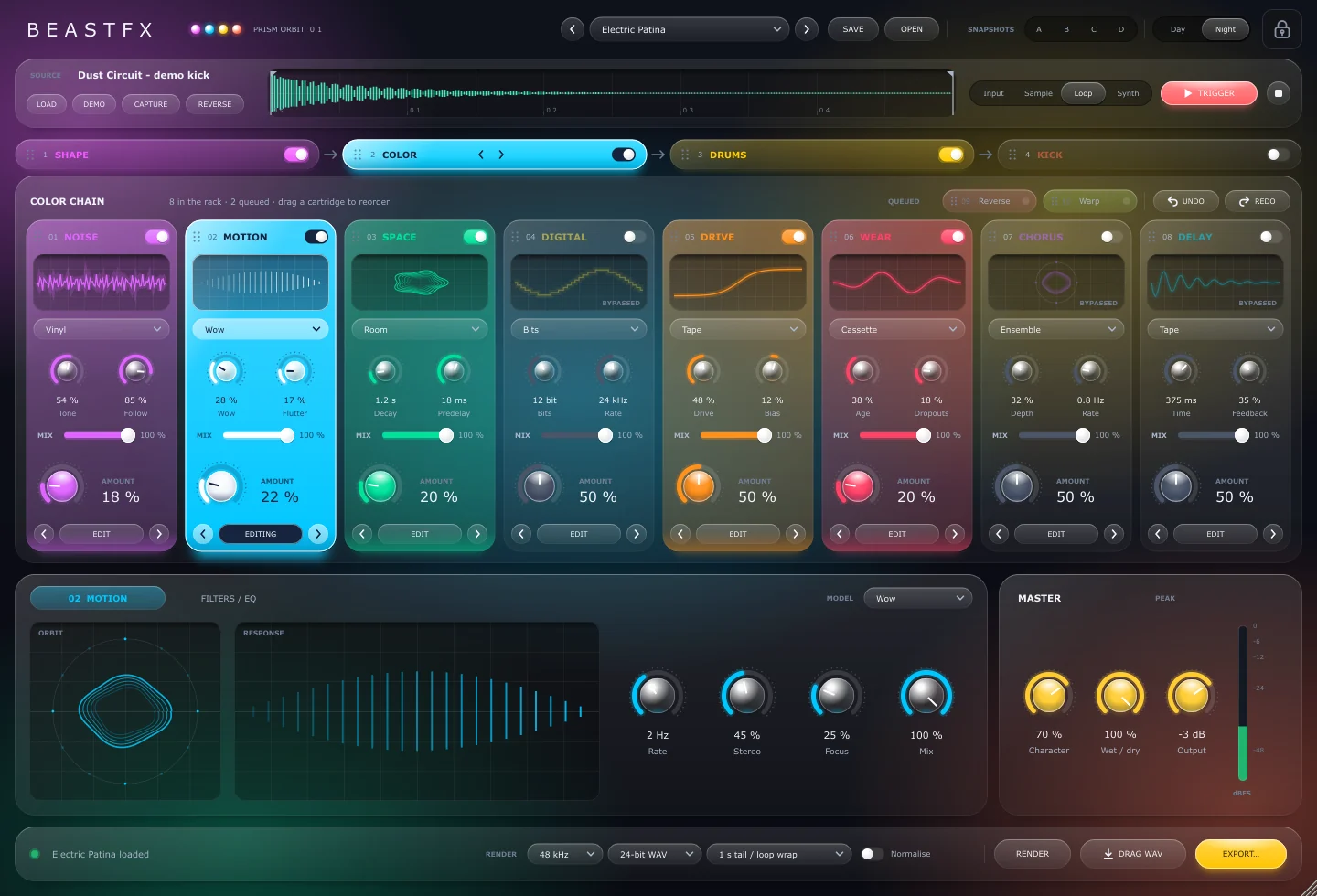
A source lane at the top (a sample, a loop, your live input or the synth), four engines of colour-coded effect cartridges in the middle, an editor and master section below, and a render bar that turns the result into a WAV you drag straight into your DAW.

Drag in WAV, AIFF, FLAC or Ogg, play a loop, process your live input, or let the synth make the sound. CAPTURE grabs the last 10 seconds of input.
Four engines in series, each with eight cartridges you can drag into a new order. Bypass a cartridge or a whole engine; routing changes can be undone.
Render at 44.1, 48 or 96 kHz in 16-bit, 24-bit or 32-bit float, then drag the WAV into your DAW or export it.
Four engines
The signal runs through the engines left to right. Kick presets start with Kick → Shape → Drums → Color; loops usually want Shape first. Try it: drag a tab, or use the arrows.
SOURCE → SHAPE → COLOR → DRUMS → MASTER
Transients · 8 cartridges
Carve the hit: sharpen or soften the attack, tighten or bloom the tail, clip the peaks and gate what is left.
Vintage texture · 10 cartridges
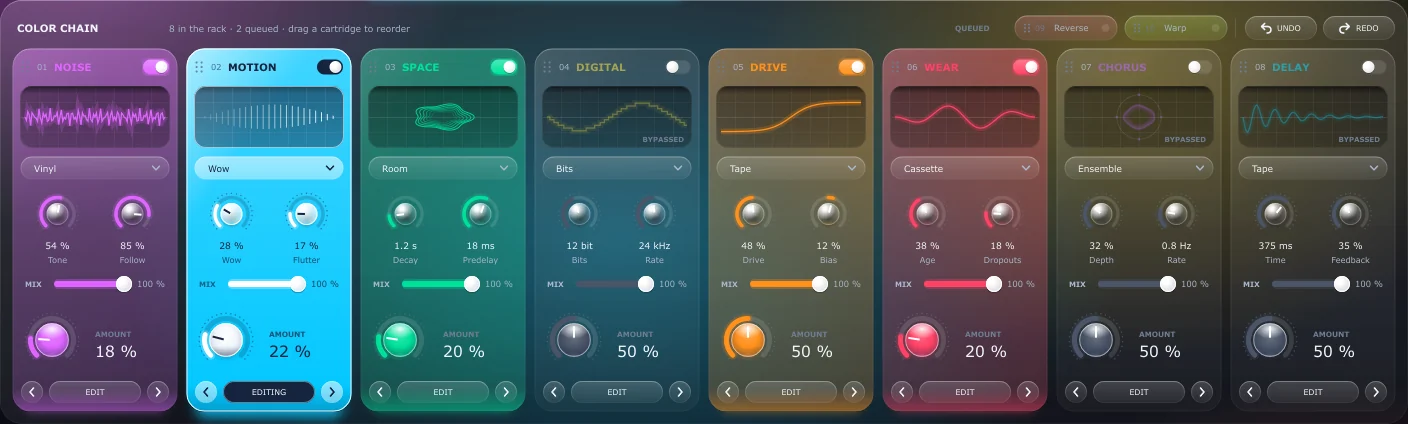
Age it, wobble it, place it in a room: vinyl and tape noise, wow and flutter, cassette and VHS wear, bit crushing, drive, chorus, delay and more.
Reinforcement · 8 cartridges
Make it hit harder: sub thump under the kick, snap on the snare, tuned resonance, rooms, compression and density.
Hybrid kick designer · 8 cartridges
Build a kick from a sub synth and three sample layers, then shape its pitch curve, amplitude, phase and glide.
The cartridge library
Every cartridge has a power switch, a model selector, four controls, Amount, Focus and its own Mix, and a grip to drag it along the rack. Color holds ten: two wait in the queue until you drag them in.
Sharp+1
Sharp · Natural
Punch, Window, Curve, Link
Tight+1
Tight · Bloom
Body, Release, Hold, Smooth
Kick+2
Kick · Snare · Bus
Tightness, Presence, Weight, Air
Peak+1
Peak · Envelope
Sensitivity, Low cut, High cut, Holdoff
Wide+1
Wide · Band
Low 20–500 Hz, High 1–20 kHz, Resonance, Target
Round+1
Round · Hard
Drive, Ceiling −12…0 dB, Knee, Blend
Soft+1
Soft · Hard
Threshold, Release 10–500 ms, Hold, Range 0–60 dB
Linked+1
Linked · Mid / side
Width 0–200 %, Low mono 30–300 Hz, Pan, Trim
Vinyl+2
Vinyl · Tape · Crackle
Tone, Follow, Duck, Stereo
Wow+1
Wow · Flutter
Wow, Flutter, Rate 0.1–12 Hz, Stereo
Room+2
Room · Plate · Spring
Decay 0.1–8 s, Predelay 0–120 ms, Duck, Width
Bits+2
Bits · Rate · Both
Bits 4–24, Rate 2–48 kHz, Smooth, Blend
Tape+2
Tape · Tube · Fold
Drive, Bias, Tone, Blend
Cassette+1
Cassette · VHS
Age, Dropouts, Speed, Damage
Ensemble+1
Ensemble · Wide
Depth, Rate 0.1–8 Hz, Voices 2–6, Blend
Tape+1
Tape · Ping-pong
Time 20–1500 ms, Feedback up to 95 %, Damping, Duck
Slices
Slices
Window 30–1000 ms, Chance, Crossfade, Blend
Grain+2
Grain · Stretch · Stop
Size 10–300 ms, Speed 25–200 %, Scatter, Blend
Sub+1
Sub · Growl
Tune 30–120 Hz, Decay 30–900 ms, Duck, Colour
Noise+2
Noise · Metal · Air
Tone, Decay 10–500 ms, Sensitivity, Stereo
Pitch
Pitch
Pitch ±12 st, Feedback, Delay 5–80 ms, Blend
Booth+2
Booth · Gate · Huge
Decay 50–3000 ms, Predelay, Duck, Width
Punch+2
Punch · Glue · Crush
Amount, Attack 1–100 ms, Release 20–600 ms, Parallel
Soft+2
Soft · Hard · Boost
Drive, Tone, Bias, Blend
Weight+1
Weight · Presence
Frequency 40–300 Hz, Gain ±12 dB, Width, Air
Wood+1
Wood · Metal
Tune 40–800 Hz, Decay, Damp, Blend
Sine+1
Sine · Triangle
Tune 30–120 Hz, Sweep 5–200 ms, Harmonics, Phase
Sample+1
Sample · Noise
Start, Pitch ±24 st, Length 5–200 ms, Level
Sample
Sample
Tune ±24 st, Offset ±20 ms, Decay, Level
Sample+1
Sample · Noise
Pitch ±24 st, Length 10–800 ms, Width, Level
Curve+1
Curve · Steps
Start 80–700 Hz, End 30–120 Hz, Sweep 5–200 ms, Bend
One-shot+1
One-shot · Gate
Attack, Hold, Decay 80–1600 ms, Curve
Align+1
Align · Free
Offset ±10 ms, Phase 0–360°, Polarity, Blend
Fixed+1
Fixed · Legato
Time 0–300 ms, Bend, Range up to 24 st, Velocity
Hybrid kick designer
A sine or triangle sub synth under three sample layers (attack, body and texture), each loaded or dropped on its own button. Then draw the pitch drop, set the amplitude, align the phase and glide between notes. Trigger it with the button, the space bar or MIDI.
An illustration of the Pitch curve and Amplitude cartridges, with their real ranges.
New release
Four engines, 34 cartridges, a hybrid kick designer, 200 presets, A–D snapshots and drag-out rendering.
Source, editor, render
Trim without destroying anything, edit the selected cartridge with live scopes, finish with filters and EQ, then render in the background and drag the WAV where you need it.
01 · Source
02 · Edit + finish
03 · Render


Factory presets
Fifty per engine plus a clean init, browsed with the arrows beside the preset name. Shift-click A, B, C or D to store a snapshot of the current sound and click to recall it; save your own as .beastfx files.
SHAPE50
COLOR50
DRUMS50
KICK50
Day / Night
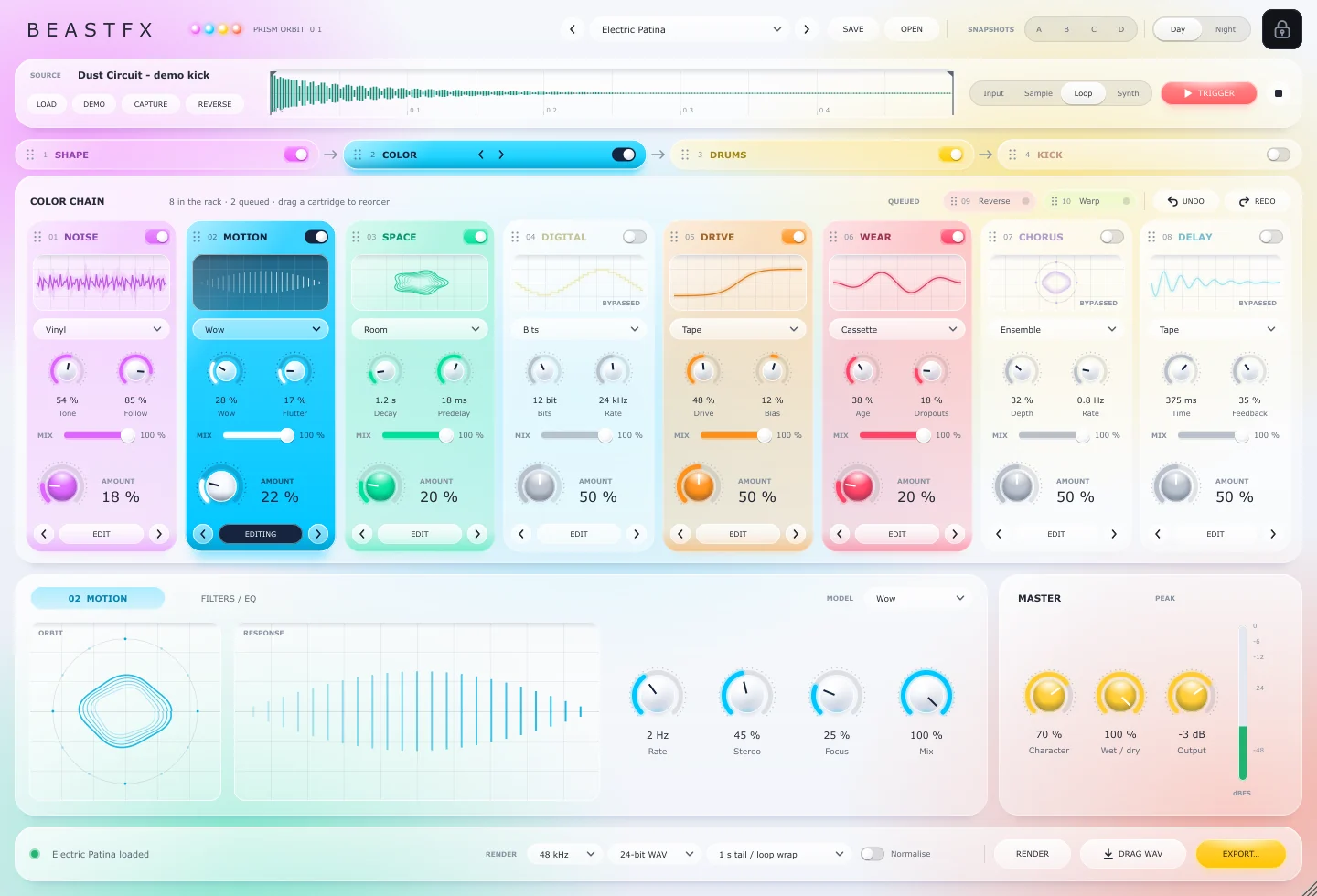
Day stays light everywhere; Night turns the glass to dark graphite with the same vivid colours. The layout scales in proportion from a laptop to ultrawide and 4× displays. Drag the handle to compare.
Specs & license
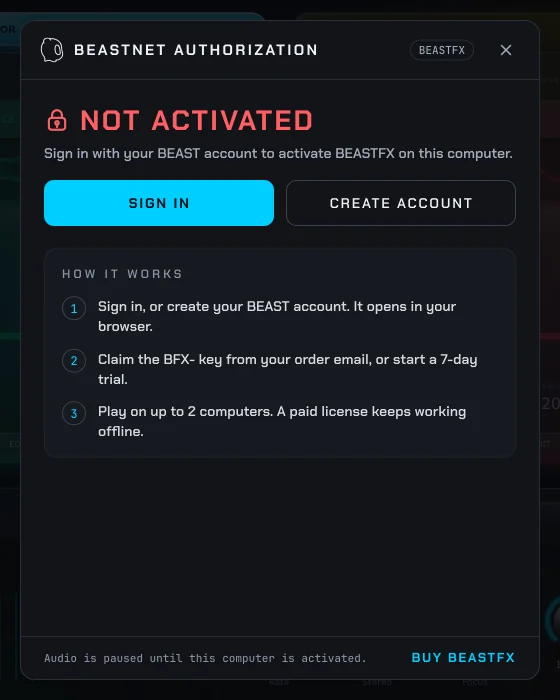
A 7-day trial is built in for any verified BEAST account, once per account and computer.
FAQ
The Windows standalone application and the VST3 plug-in with all 200 factory presets. Your license key arrives by email straight after checkout.
Both. Design a single kick from scratch with the Kick engine, or run a drum or melodic loop through Shape, Color and Drums, then render the result with a tail or a seamless loop wrap.
No. The standalone app loads samples, triggers them from the button, the space bar or MIDI, and exports WAV files. In a DAW, load the VST3 on a track or trigger it with MIDI notes.
BeastFX is for Windows (64-bit) at launch.
Two. Sign in with your BEAST account on each computer; after activation a paid license keeps working offline.
WAV, AIFF, FLAC and Ogg, by drag-and-drop. Imported samples are copied into a managed folder so your sessions and presets always find them.
Four engines, 34 cartridges, a hybrid kick designer and 200 presets. One window.
Introductory price $10 · regular price $49


