New pluginWindows · Standalone + VST3Beast Plugins

RhythmBeast

Rhythm generator

Roll a beat. Keep what works.

RhythmBeast builds drum loops from the built-in drum sounds or your own sample folders. Pick a style, generate, lock the lanes you like and re-roll the rest, shape every step, then perform it with eight pads and drag MIDI or audio straight into your session.

Not on sale yet · Windows standalone + VST3 · One license, two computers

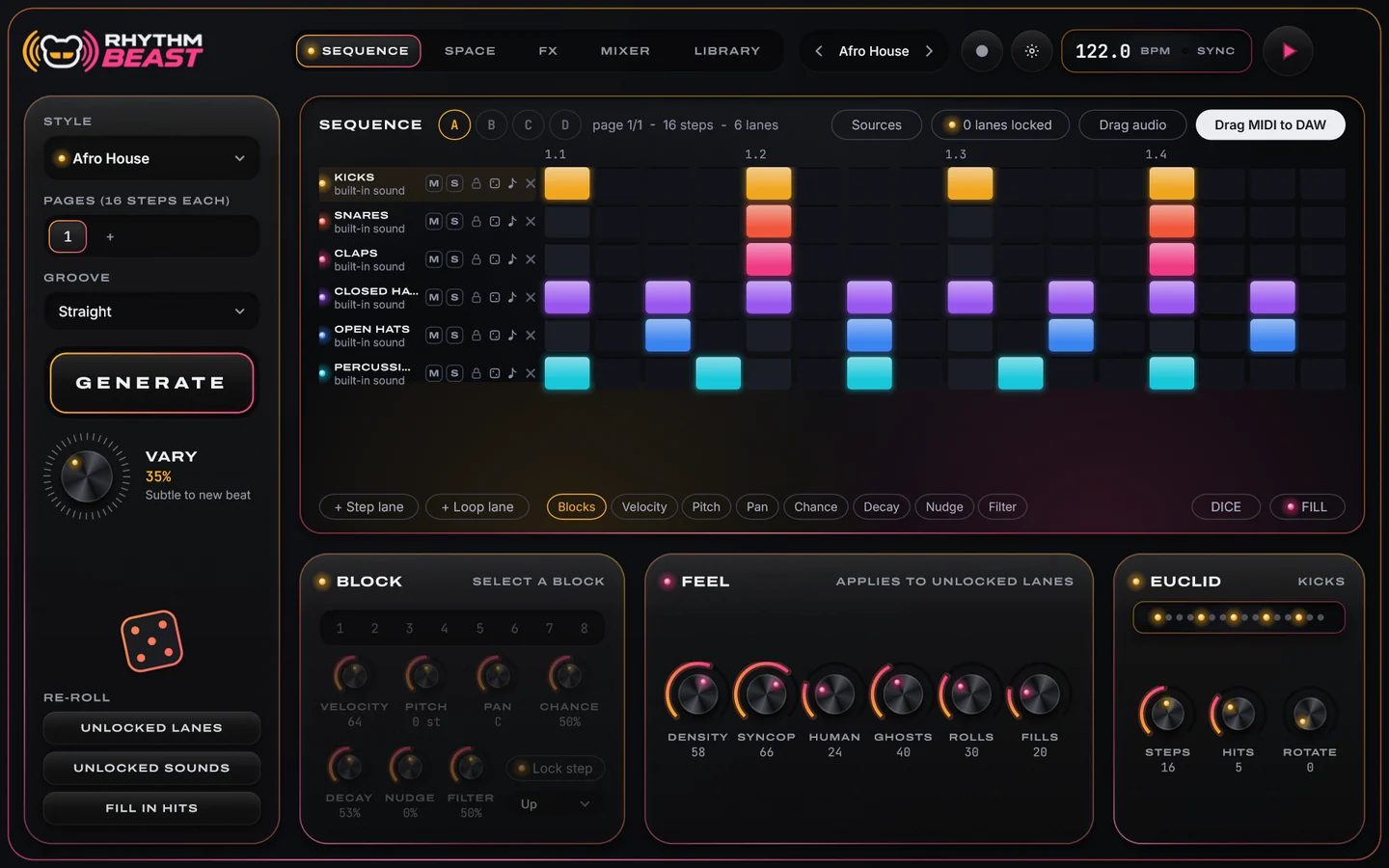
RhythmBeast Sequence page: Afro House style, GENERATE and VARY, the step grid with coloured lanes, and the Block, Feel and Euclid panels
  • 38Styles
  • 8Starting lanes
  • 128Steps per pattern
  • 4Pattern slots
  • 8Performance pads
  • 8Lane outputs

Overview

From a style to a finished loop.

Five pages, one idea: keep the parts that work and keep rolling the rest. Sequence for the pattern, Space and Library for the sounds, FX for the performance, Mixer for the balance and the song.

  1. 1Pick a style38 styles, each with its tempo and groove
  2. 2GenerateVARY sets how far it strays
  3. 3LockKeep the lanes you like
  4. 4Re-rollLanes, sounds or fill around hits
  5. 5Drag it outMIDI, a loop, stems or the kit

Roll + lock

Lock what works. Roll the rest.

This is the RhythmBeast way of working. Press GENERATE, lock a lane you like with its padlock, then generate again: only the unlocked lanes change. Click a step to add or remove a hit, and press play to hear it.

122.0 BPM
Kicks
Snares
Claps
Closed hats
Open hats
Percussion

An interactive sketch with simple patterns of its own and synthesized sounds in your browser. RhythmBeast's own style rules, sounds and engine are much deeper.

RhythmBeast Sequence page with the step grid, RE-ROLL buttons and the Feel and Euclid panels

Generate

Rules per style, not random noise.

Each of the 38 styles sets its own tempo and groove, from straight to four shades of shuffle. GENERATE writes a pattern in that style; VARY decides how far the next one strays, from subtle to a new beat.

  • RE-ROLL unlocked lanes, unlocked sounds, or fill in hits around the ones you drew
  • Per lane: lock, a dice for a new pattern, a note for a new sound, mute and solo
  • FEEL: density, syncopation, human, ghosts, rolls and fills; EUCLID: steps, hits and rotate
  • DICE for steps, velocity, pitch, pan, chance or chops, a hold-to-play FILL and undo for everything

Styles38

  • Afro House
  • Amapiano
  • Ambient / Experimental
  • Bass / Club
  • Bass House
  • Brazilian Funk
  • Breaks / Breakbeat / UK Bass
  • Dance / Pop
  • Deep House
  • DJ Tools / Acapellas
  • Downtempo
  • Drum & Bass
  • Dubstep
  • Electro
  • Electronica
  • Funky House
  • Hard Dance / Hardcore / Neo Rave
  • Hard Techno
  • House
  • Indie Dance
  • Indie Tech
  • Jackin House
  • Latin Electronic
  • Mainstage
  • Melodic House & Techno
  • Minimal / Deep Tech
  • Nu Disco / Disco
  • Organic House
  • Progressive House
  • Psy-Trance
  • Tech House
  • Techno (Peak Time / Driving)
  • Techno (Raw / Deep / Hypnotic)
  • Trance (Main Floor)
  • Trance (Raw / Deep / Hypnotic)
  • Trap / Future Bass
  • UK Garage / Bassline
  • 140 / Deep Dubstep / Grime

Every step

The detail lives in the step.

Sixteen steps a page and up to eight pages, so a pattern runs to 128 steps. Every lane plays at its own rate, direction and length, so lanes can drift against each other in polymeter.

  • VELOCITY1–127
  • PITCH±24 st
  • PANL–R
  • CHANCE0–100 %
  • DECAY5–100 %
  • NUDGE±50 %
  • FILTERPer step
  • CHOPS1–8 · up / flat / down

Per lane

Rate 1/16, 1/8, 1/32, 1/16T, 1/8T or 1/16D, a direction, a length for polymeter, shift, choke groups, accent and an automatic re-roll every few bars.

Step + loop lanes

Step lanes play one-shots. Loop lanes stretch a loop to your tempo, keeping its pitch or repitching it, then play it whole or chop it into slices in order, reversed, random or shuffled.

Slots A–D

Four pattern slots, switched from the panel or from MIDI keys C1 to D#1, and as many lanes as the beat needs.

  • Draw each value in its own lane, and lock single steps
  • Lane editor: tune, attack, hold, decay, filter, width, trim with snap-to-hit, fades and reverse
  • A kick designer on kick lanes: tune, punch, decay, click and rumble

Space + library

Your samples, as a map.

Add your sample folders and every sound appears in Space: each arm is a type, and the distance from the centre is its brightness. Hover a sound to hear it, try it in the beat, keep it or cancel, and ask for similar ones.

  • Kicks
  • Snares
  • Claps
  • Closed hats
  • Open hats
  • Percussion
  • Toms
  • Cymbals
  • Vocals
  • Loops
  • 3D, 2D map or list views; 3D detail from off to ultra, with auto-orbit
  • Use on lane, new lane, favourites, tags and a similar-sounds list
  • Library reads WAV, AIFF, FLAC, MP3 and Ogg; files sort by name, the rest by a light audio analysis
  • Search, type chips, favourites and watched folders you can switch on or off
  • No folders yet? The built-in drum sounds play from the first click

New plugin

Roll it. Lock it. Drop it.

38 styles, lockable lanes, 128-step patterns, a sample map, eight performance pads and drag-out MIDI, loops and stems.

FX + pads

Perform the loop.

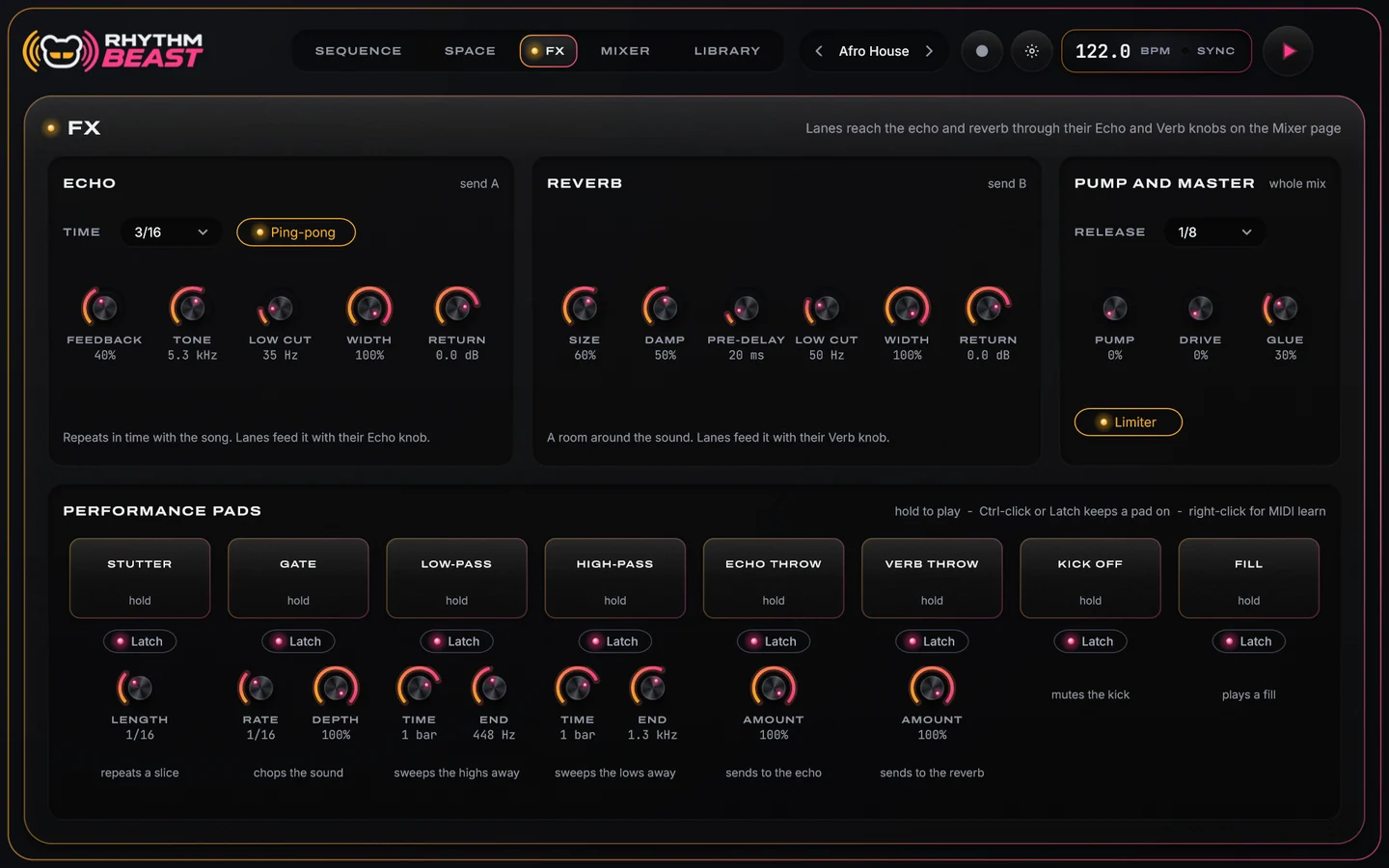
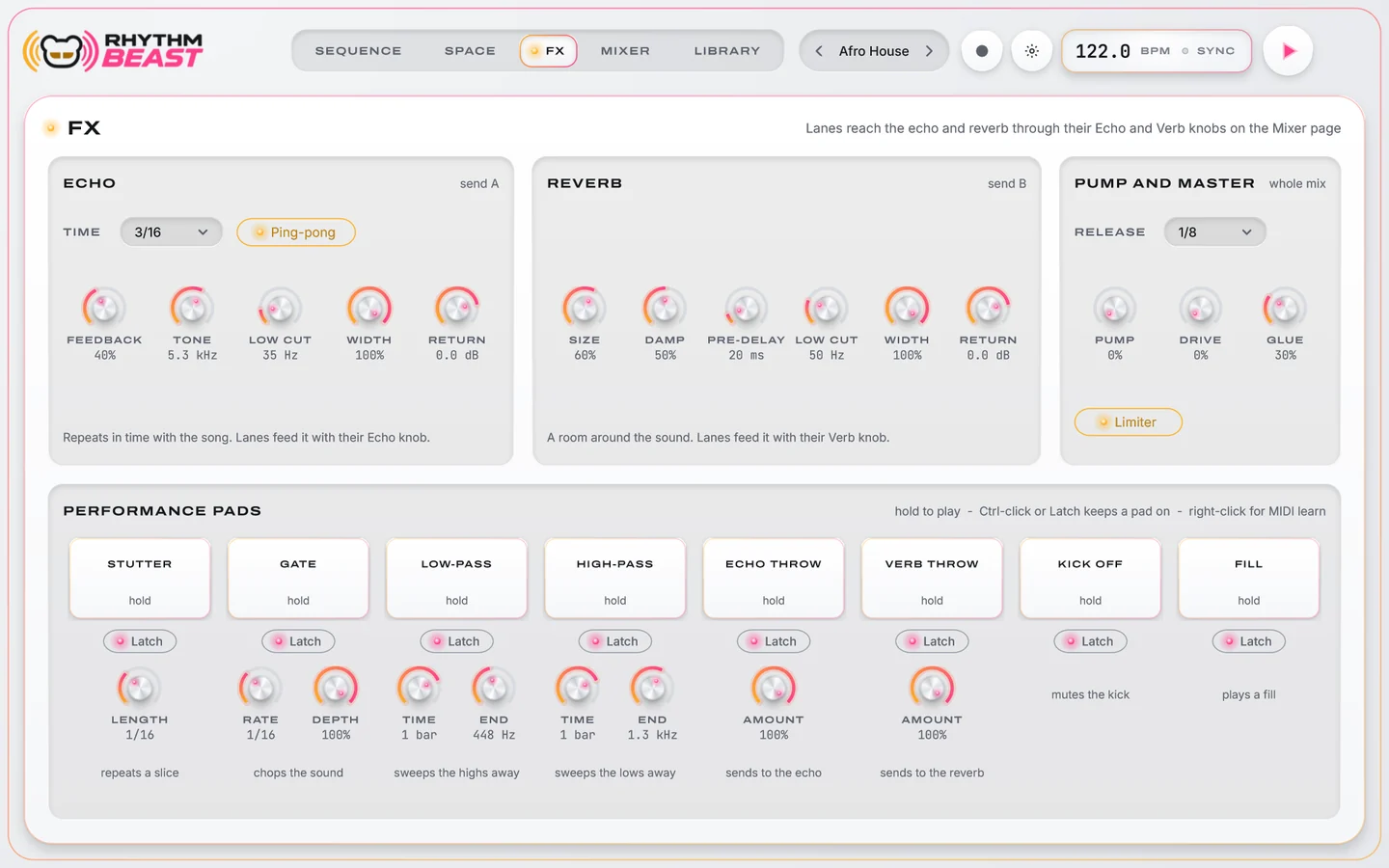
Lanes reach the echo and reverb through their sends; pump and master glue the whole loop. Eight pads throw, cut and sweep it live: hold them, or latch them on, and MIDI-learn each one.

RhythmBeast FX page: Echo, Reverb, Pump and Master modules, and eight performance pads with latch

ECHO

Time, ping-pong, feedback, tone, low cut, width and return.

REVERB

Size, damping, pre-delay, low cut, width and return.

PUMP + MASTER

Release, pump, drive, glue and a limiter on the whole loop.

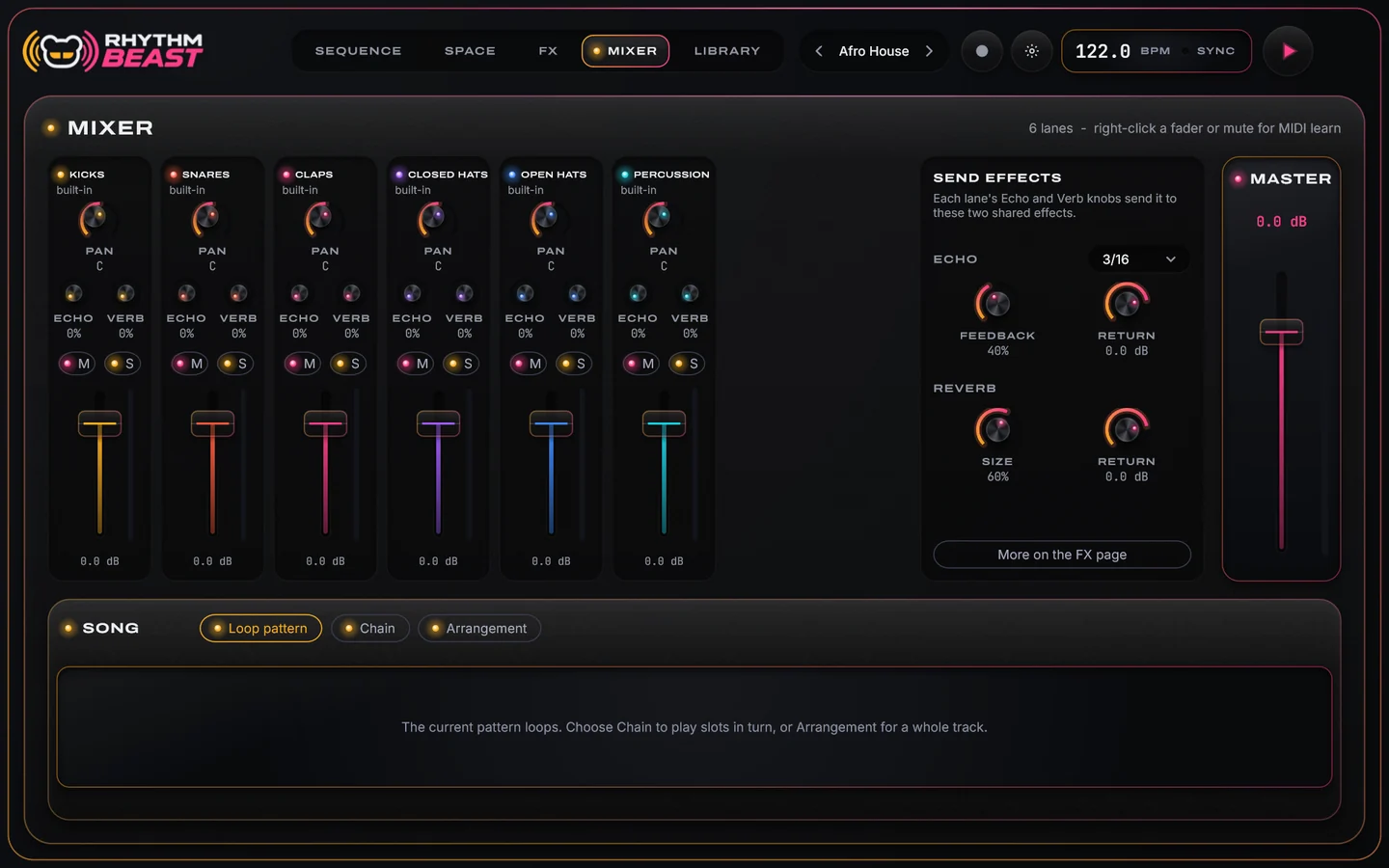
RhythmBeast Mixer page: a channel per lane with pan, echo and reverb sends, mute and solo, the send effects, the master and the Song panel

Mixer + song

Balance it, then build the track.

A channel for every lane with pan, echo and reverb sends, mute, solo, a fader and a meter. Right-click a fader or mute for MIDI learn.

  • SONG: loop the pattern, chain the slots, or lay out an arrangement
  • Eight stereo lane outputs beside the main output for mixing in your DAW
  1. Intro
  2. Build-up
  3. Breakdown
  4. Drop
  5. Release
  6. Outro

Export

Drag it into the session.

RhythmBeast follows your host's tempo and transport. When the beat is right, drag it out as MIDI or as audio, or record a take with your pad moves.

Drag MIDI

The whole pattern, or one lane by dragging its name. Import MIDI to bring a groove in.

Drag audio

The full loop, the loop without the master chain, every lane as a stem, or the kit.

Record

Record a take to WAV, record pad moves and render them afterwards, or capture four seconds of input into a lane.

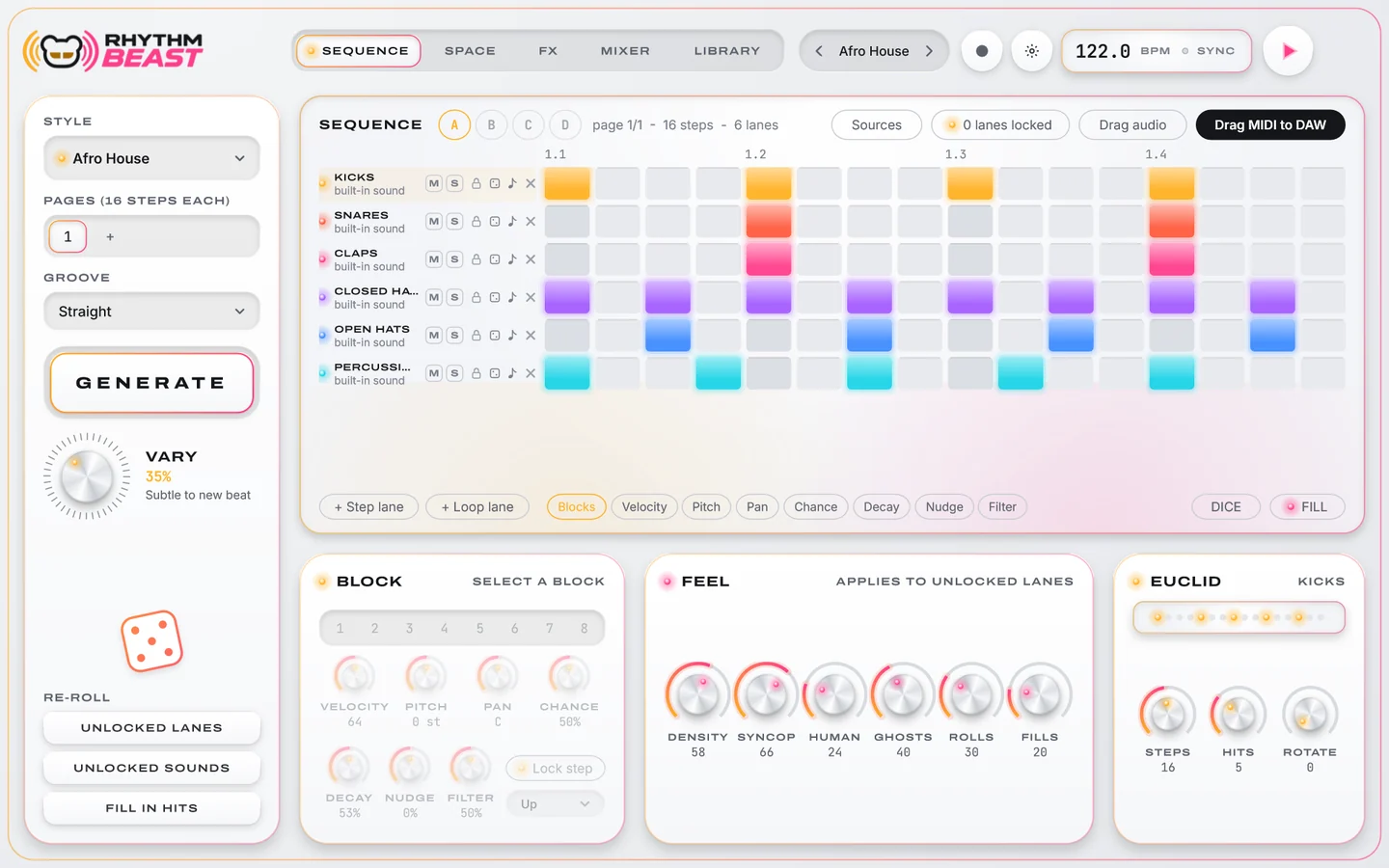
RhythmBeast Sequence page in the light theme
Light theme · Sequence
RhythmBeast FX page in the light theme
Light theme · FX

Specs & license

What you get.

Platform
Windows 10 or later (64-bit)
Formats
Standalone application + VST3 instrument with MIDI in and out
Styles
38, each with its own tempo and groove (straight or four shuffles)
Sequencer
Step and loop lanes; 16 steps a page, up to 8 pages; per-lane rate, direction and length; slots A–D
Generate
Generate with vary, re-roll lanes, sounds or fill; feel, euclid and dice; undo for everything
Sounds
Built-in drum sounds or your own WAV, AIFF, FLAC, MP3 and Ogg folders; Space map and library
Perform
Echo, reverb, pump and master; 8 performance pads with latch and MIDI learn
Mix
Channel per lane, song modes, main output plus 8 stereo lane outputs
Export
Drag MIDI, loop, loop without master, stems or kit; record takes to WAV

BEASTNETOne purchase. Two computers.

Not on sale yet. This is how buying and activation will work at release.

  1. BuyInstant digital download. Your RHB- license key arrives by email. One license per order.
  2. Sign inSign in with your BEAST account (the email you used at checkout) and redeem the key. An internet connection is needed to activate.
  3. Roll anywhereActivate on up to two computers. Activated paid licenses keep working offline.

A 7-day trial is built in for any verified BEAST account. A RhythmBeast license unlocks RhythmBeast only.

FAQ

Good questions.

Do I need my own samples?

No. Built-in drum sounds play from the start. Add your own sample folders whenever you like and they appear in Space and the Library; RhythmBeast does not ship a separate sample library.

What exactly do I download?

The Windows standalone application and the VST3 instrument. Your license key arrives by email straight after checkout.

Is there a Mac version?

RhythmBeast is for Windows (64-bit) at launch.

How do I get the beat into my DAW?

Drag it: the pattern or a single lane as MIDI, or the loop, stems or kit as audio. In a DAW you can also use the eight stereo lane outputs.

Is it random?

No. Each style has its own rules for where hits land, and VARY sets how far a new roll strays. Locks keep what you like, and undo brings back what you had.

How many computers can I use it on?

Two. Sign in with your BEAST account on each computer; after activation a paid license keeps working offline.

Roll it.

38 styles, lockable lanes, eight pads and every beat ready to drag into your session.